Publishing an SPF record protects nothing if that same record exceeds a threshold almost no one checks. The most common cause of SPF failure is rarely its outright absence. It comes from a poorly built record that crosses the 10 DNS lookup limit set by RFC 7208, with nothing warning the sender before the incident happens. A valid SPF record contains the list of servers authorized to send emails for a domain; beyond the 10 DNS lookups needed to evaluate it, the receiving server returns a PermError that invalidates authentication for every message from the domain, not just the one sender that pushed it over the limit.
What an SPF Record Actually Authorizes
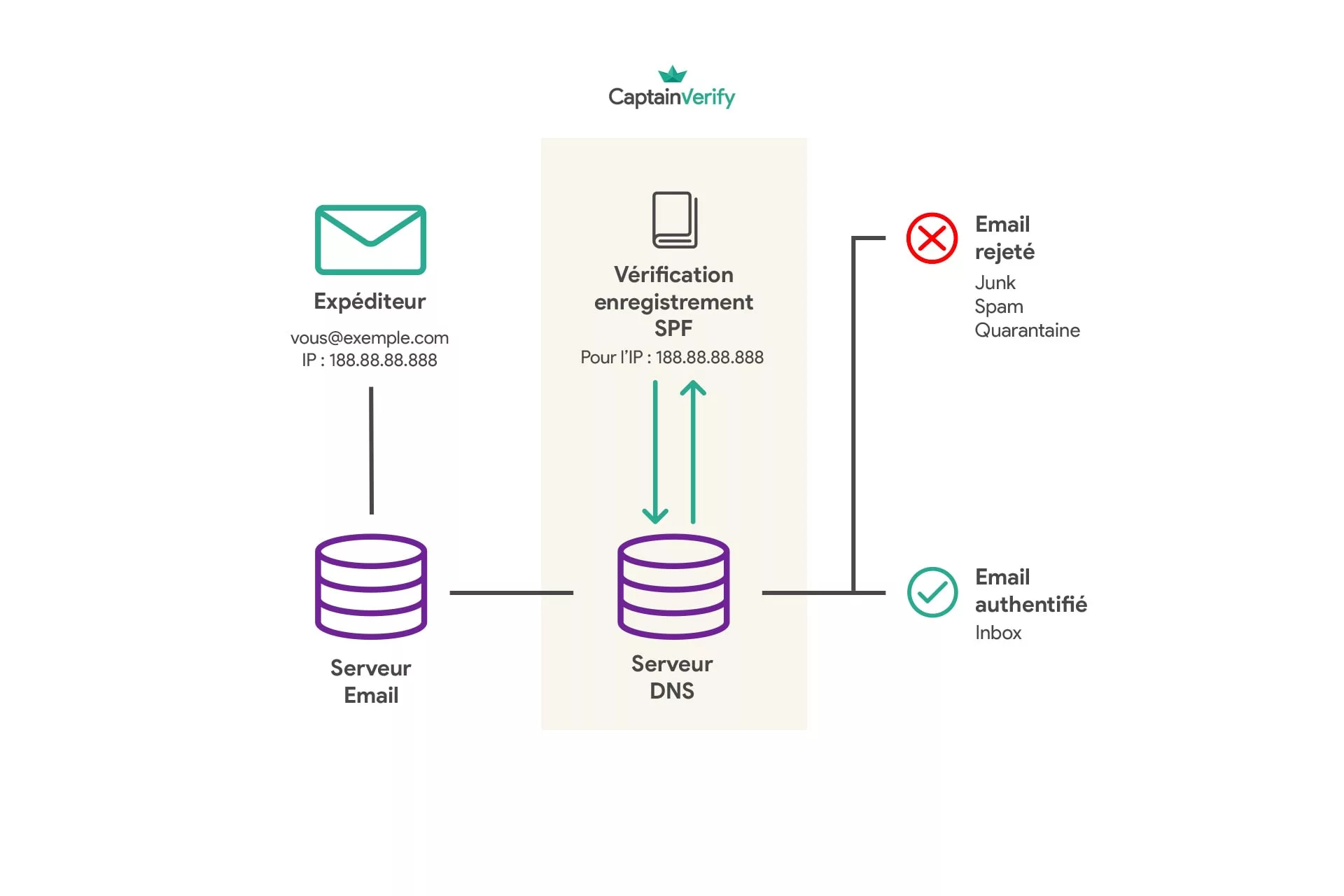
An SPF (Sender Policy Framework) record is a TXT-type DNS record published on a domain, listing the IP addresses authorized to send emails on its behalf. A receiving server, Gmail or Outlook for example, queries this DNS and compares the connecting IP to that list. SPF specifically checks the MAIL FROM, also called the Return-Path, the technical address used for bounces and NDRs, not the address displayed in the mail client’s “From” field. This distinction leaves an opening for visual spoofing.
The Mechanisms That Make Up an SPF Record
SPF syntax relies on a series of mechanisms that, strung together, define who has the right to send. ip4: and ip6: directly declare an address range, without querying DNS a second time. a and mx check that the sending IP matches the A record or the MX servers of the domain named. include: delegates the check to another domain’s SPF record, typically that of a sending provider (ESP, CRM, billing tool). ptr performs a reverse lookup, now discouraged by RFC 7208 itself for its slowness. exists tests for the existence of a dynamically built A record. The redirect modifier, on the other hand, doesn’t add to the list: it entirely replaces the evaluation with that of another record, somewhat like an HTTP redirect applied to DNS. Each of these mechanisms, except ip4 and ip6, consumes a separate DNS lookup at evaluation time. An include: can itself contain other nested include: statements, without the visible line giving any hint of it. Order matters too: the receiving server evaluates mechanisms left to right and stops at the first one that matches the sending IP. Placing the most frequently used internal servers at the start of the record changes nothing about the final result. It only speeds up evaluation on domains with high sending volume.
The -all, ~all, ?all Qualifiers: What Happens to a Non-Compliant Email
An SPF record always ends with a qualifier that determines the fate of an email sent from an IP not on the list. -all (hard fail) tells the receiving server to reject the message. ~all (softfail) tells it to accept the message but flag it as suspicious, often routing it to spam. ?all (neutral) gives no clear instruction, which amounts to letting each mailbox provider decide on its own. One last qualifier, +all, explicitly authorizes any IP to send on the domain’s behalf; it’s only useful for deliberately disabling SPF during testing, never in production. Gmail and Microsoft 365 treat softfail with a tolerance that shrinks every year. A domain still cautiously configured with ~all often ends up migrating to -all once DKIM and DMARC are in place; without that shift, SPF only suggests suspicion instead of settling it.
An SPF Record Annotated Line by Line
Let’s take an example representative of a domain that sends both from its own servers and through a third-party ESP:
v=spf1 ip4:203.0.113.10 include:_spf.google.com include:sendgrid.net mx -all
v=spf1 declares the protocol version, always identical. ip4:203.0.113.10 directly authorizes the company’s internal mail server, at no lookup cost. include:_spf.google.com delegates authorization to Google Workspace’s servers, used here for employee emails. include:sendgrid.net does the same for campaigns sent through SendGrid. mx automatically adds the domain’s MX servers to the list of valid senders. -all closes the record with a hard fail: any IP not on this list has its message rejected. This record already consumes 3 of the 10 allowed lookups (the two include: statements and the mx), not counting that each include: can itself trigger several sub-queries once resolved.
The 10 DNS Lookup Limit and the PermError
RFC 7208, section 4.6.4, sets two distinct caps on the evaluation of an SPF record. The first, and best known, limits to 10 the number of DNS lookups triggered by the include, a, mx, ptr, exists mechanisms and the redirect modifier; ip4 and ip6 cost nothing, since the address is already written into the record. The second cap, less documented, limits to 2 the number of tolerated “void lookups”: a DNS query that comes back with no answer (NXDOMAIN), usually caused by an include: pointing to a misspelled domain or a terminated provider whose record has been removed (AutoSPF, March 2026). Crossing either limit produces the same verdict: PermError. The receiving server then stops the evaluation and treats authentication as a failure for every message from the domain, including those sent from a perfectly legitimate IP documented three lines earlier in the record.
SPF flattening resolves this overflow by replacing each include: with the raw list of IP addresses it points to. Evaluation then costs only a single lookup, regardless of how many sending providers were cited at the outset. Deliverability specialists like dmarcian or PowerDMARC document this technique and offer services that recalculate the record every time a provider’s IP changes. The process has its own ceiling: a DNS TXT string is limited to 255 characters per segment. A flattened record that lists dozens of IP addresses directly sometimes ends up dangerously close to that limit, forcing it to be split into several concatenated strings.
This explains a classic scenario for growth teams: campaigns end up in spam, and the email SaaS in use offers no explanation, even though its dashboard displays “SPF configured.”
The dashboard checks that the record exists and is syntactically valid. It never recalculates the number of lookups once every include: has been resolved in cascade. A domain that has accumulated Google Workspace, a transactional ESP, a marketing automation tool, and a CRM can exceed the limit without any single one of these integrations, taken in isolation, appearing to be at fault.
Checking Your SPF Record Before It Breaks
Checking your SPF record doesn’t require a paid tool. The most direct method involves three steps:
- Query DNS from the command line with
dig txt yourdomain.com(ornslookup -type=txt yourdomain.comon Windows) to read the record as it’s actually published, not as it was entered in the registrar’s interface. - Run that record through an online SPF checker that resolves each nested
include:and displays the total lookup count, rather than counting mechanisms by hand. - Repeat this check every time a new sending service is added (ESP, billing tool, recruitment platform that emails candidates), not just during initial setup.
Gmail has Google Postmaster Tools; Microsoft has SNDS, which tracks IP reputation. Both display an authentication history, but neither flags a lookup overflow before it turns into an actual PermError on a real send.
Duplicate Records and the Most Common Mistakes
A domain should publish only one SPF record. Having two, often because an agency added its own without removing the one already in place, produces a new PermError: RFC 7208 doesn’t provide for automatic merging between two TXT records of SPF type. The other recurring mistake is forgetting a third-party sending provider in the list, a survey tool or a recruitment platform that sends transactional emails on the domain’s behalf without ever having been added to the record. These messages fail silently until a customer reports not having received anything.
Email Forwarding Breaks SPF: What SRS Does (and Doesn’t) Fix
A forwarded email almost always breaks SPF, by the protocol’s own design. The server relaying the message never appears in the origin domain’s SPF record, so authentication fails on the final recipient’s side. The Sender Rewriting Scheme (SRS) fixes this specific case by rewriting the message’s MAIL FROM address with the relay server’s domain, which is indeed authorized in its own SPF record (Microsoft Learn documentation, September 2025). This mechanism has a blind spot documented by Microsoft itself: SPF then validates the relay’s domain, while the “From” field visible to the recipient keeps displaying the origin domain.
Microsoft’s documentation spells it out clearly: SRS doesn’t resolve the case of forwarded messages that fail DMARC, since that protocol requires alignment between the domain validated by SPF (or DKIM) and the domain displayed in the From field.
A message can therefore pass SPF thanks to SRS and still fail as a DMARC reject, for lack of alignment between the two domains checked.
SPF, DKIM, and DMARC Alignment: The Mechanism That Actually Protects Reputation
SPF and DKIM don’t tell the receiving server the same thing. SPF validates the MAIL FROM, DKIM cryptographically signs the entire message. DMARC adds a layer that neither protocol handles alone: alignment, meaning the check that the domain authenticated by SPF or DKIM actually matches the domain displayed in the “From” field the user reads. Without this alignment, a message can pass SPF through a third-party ESP while displaying a completely different sender domain, which is exactly the pattern of an impersonation phishing attack. This triple check governs the complaint rate and the fight against spam and phishing on both Gmail and Outlook.
A clean SPF record doesn’t make up for a list full of dead addresses: a campaign sent to nonexistent addresses drives up the hard bounce rate, which degrades the sender reputation that SPF and DKIM are supposed to protect, no matter how carefully the DNS is configured. Checking the list before sending, a basic list hygiene practice, costs less in reputation than filtering out the Enhanced Status Codes 5.1.1 reported by destination servers after the campaign has already gone out. DMARC closes the loop: without it, SPF and DKIM remain two isolated checks, with no guaranteed link to the address the recipient actually looks at.
A properly authenticated domain never draws attention: it never shows up in an incident report, precisely because no one needs to talk about it.