
Structuring an email strategy means combining operational efficiency with quality interactions. Email templates allow for automation while maintaining personalization, turning each customer interaction into a conversion opportunity. Let’s explore how these email models redefine customer relationships and the key formats to adopt to guide, retain, or re-engage your recipients throughout their journey.
What do we mean by an email template?
An email template isn’t just fixed text; it’s a dynamic data structure embedded within your MarTech ecosystem. Technically, it relies on the use of merge tags and conditional logic (like IF/THEN/ELSE). For example, a template can display a specific content block only if the customer segment is “Premium.” This approach allows you to move from simple mass messaging to individualized Lead Nurturing, where the HTML code adapts in real-time to the data in your CRM (Customer Relationship Management).
Used in recurring contexts, such as order confirmations or abandoned cart reminders, email templates seamlessly fit into CRM mechanics. They free marketing teams from repetitive tasks without sacrificing relevance or brand consistency, as each message remains aligned with the company’s visual identity and brand guidelines.
Why choose structured email templates?
Adopting email templates is all about embedding communication within an efficient and consistent logic. Writing each email “on the fly” inevitably generates inconsistencies in tone, quality, or speed, sometimes to the detriment of the customer experience. Conversely, a harmonized library consistently guarantees clarity and a certain human warmth despite email automation.
Over time, this modular approach also facilitates all strategic adjustments. Changing a greeting formula or simplifying the overall design can thus be applied to the entire customer cycle with just a few clicks, rather than requiring several days to redesign each format separately.
The tangible benefits of well-designed email templates
Behind the choice to work with effective email templates, several concrete benefits emerge. Firstly, time savings: automating essential sequences reduces operational load and ensures no important reminder or post-purchase thank-you is ever forgotten.
Moreover, brand consistency improves as each delivered message, whether purely transactional or inspirational, adheres to the visual codes, chosen tone, and narrative structure of the company. This commitment to consistency builds trust and brand recall with each campaign.
- Centralization of content and A/B testing optimization
- Rapid deployment of new sequences without re-entering every step
- Automatic insertion of cross-sell elements or feedback requests
- Increase in open rates by improving subject lines and CTAs
- Fine audience segmentation and individualized personalization
With this toolkit, the balance can easily shift between granularity and efficiency, enabling very fine segmentation (like VIP segments, new customers, dormant clients…) to maximize engagement with each distributed email.
What are the 21 essential types of emails?
The core of a modern CRM strategy relies on the variety and relevance of proposed interactions. Here is an overview of the main types of emails to deploy to support the user at each stage:
| Email Type | Main Objective |
|---|---|
| Welcome Email | Create a memorable first impression and initiate engagement. |
| Sign-Up/Order Confirmation | Reassure and explain the next steps of the journey. |
| Abandoned Cart Reminder | Offer a discreet and encouraging nudge. |
| Post-Purchase Thank You | Express gratitude and suggest a review or associated discovery. |
| Loyalty Email | Strengthen connections with reserved offers or exclusive content. |
| Re-engagement | Revive interest among inactive customers. |
| Birthday Email | Celebrate and nurture customer feelings. |
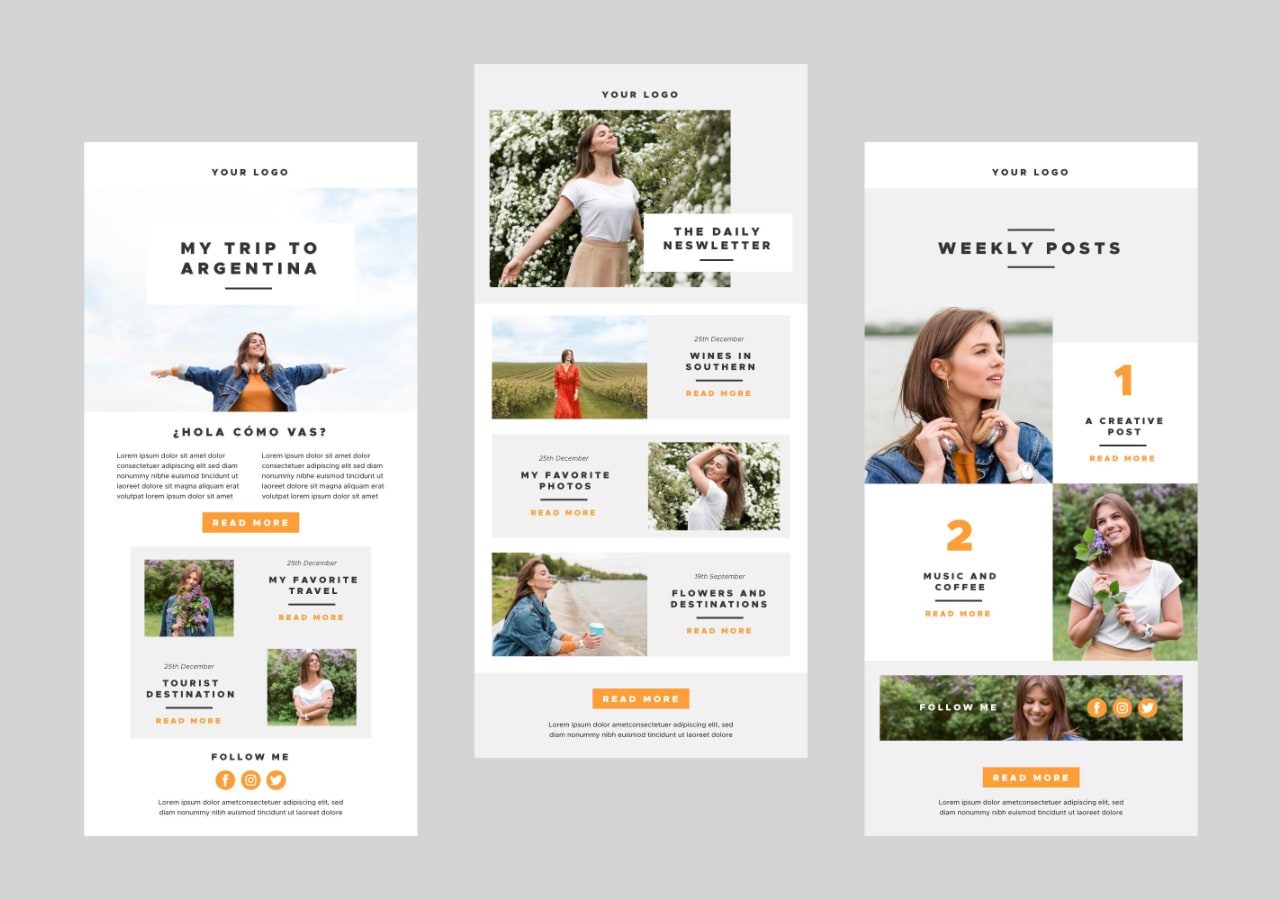
| Editorial Newsletter | Share news, advice, or original articles. |
| Event Offer | Communicate a promotion linked to an event. |
| Private Invitation | Highlight the exclusivity of premium access. |
| Survey or Feedback Collection | Gain direct feedback on the experience. |
| Email After Customer Support | Confirm resolution and gauge satisfaction. |
| Personalized Recommendation | Offer a selection based on purchase history. |
| Expiration or Service Reminder | Alert about an action to take or product renewal. |
| Satisfied/Not Satisfied Email | Probe for customer contentment levels. |
| Tips or User Guide | Assist the customer in product handling. |
| Educational Email | Provide educational content to enhance the offer. |
| Monthly/Personalized Summary | Review service usage. |
| Referral Offer | Encourage sharing recommendations. |
| New Feature/Service Announcement | Launch a product innovation or highlight an evolution. |
| End of Program/Subscription Email | Give advance notice and open a dialogue. |
Depending on the activity, some email formats take precedence over others, but employing a mix always stimulates conversation with your audience more effectively. Multiplying informative content and commercial offers also limits the fatigue caused by redundancy.
How to leverage and optimize your email templates?
Focusing on a single objective per email avoids message dilution. Carefully choose the email subject, organize the information with short and spaced-out blocks, and illustrate with impactful visuals (product photos, icons, countdowns) if possible.
Personalization remains key: playing with the recipient’s name, purchase history, or specific recommendations grounds the message in the recipient’s daily reality. CTAs become more effective if they are clear and not excessively multiplied.
Integrating these templates into an emailing tool allows you to precisely define triggering conditions: new sign-up, navigation abandonment, inactivity period. An advanced CRM system even allows continuous testing of variants and the collection of behavioral data.
To further enhance performance, it is crucial to regularly monitor key indicators such as open rates, click-through rates, or spam reports. Adapting sequences according to quantified feedback progressively consolidates the impact of each automated action.
Optimization doesn’t stop at the body of the email. The preheader (or teaser visible in the preview) is a semantic extension of the subject line: it should encourage action without repeating the message’s first words. Additionally, using Alt tags on your images ensures the message remains understandable even if the visuals don’t load due to the recipient’s email client.
What mistakes should you watch out for?
Some missteps hinder the effectiveness of email templates. A tone that is too distant or generic, messages not tailored to targeted segments, or a lack of added value in the content quickly endanger the conversion potential of campaigns.
Neglecting readability, overloaded typography, or information buried in the text also harms the brand image and drives many customers towards unsubscribing. Lastly, overlooking the review of automated scenarios exposes you to bugs or inconsistencies that are damaging to the overall reputation.
Outlook for structuring your email strategy
Embedding email templates at the heart of your relational setup multiplies the reach and consistency of your digital communication. By varying touch points, testing new formats, and capitalizing on data from interactions, each organization gradually shapes a smoother and more memorable customer experience.
As the emailing landscape constantly evolves, observing behaviors and adjusting practices paves the way for enduring conversations and strengthens the bonds between brands and subscribers.