Will iOS 26 kill SMS marketing? That’s the question CRM teams have been asking since Apple announced the “Unknown Sender” filter. The short answer: no. The useful answer: it depends on how you built your list.
Since its launch in September 2025, iOS 26 has been running on the majority of active iPhones. It introduces new logic in the Messages app: SMS, MMS, and RCS from unregistered numbers can be redirected to a separate, less visible tab, with no sound notification. Messages are delivered. But some of your subscribers may never see them.
What the “Unknown Sender” filter actually does
Apple modeled this mechanism on Gmail’s Promotions tab. The difference: the iOS 26 filter is off by default. Users must enable it manually in settings.
When the filter is on, messages from unknown senders land in a dedicated subfolder. No push notification. A small, discreet blue badge on the tab — that’s it. Technical deliverability remains intact; the message does reach the device. Visibility, however, drops.
The deliverability/visibility distinction often goes unnoticed by SMS teams. Routing tools report a “delivered” status. But “delivered to a folder the user never opens” doesn’t produce the same results as a message visible in the main conversation.
Who is “known” in iOS 26’s eyes?
Apple recognizes a sender as known as soon as the subscriber has sent at least one message to that number or short code. A single outbound SMS is enough. The brand number then bypasses the filter, even if the subscriber hasn’t saved the contact in their address book.
Any signup form that requires the user to send a first SMS via a tap-to-text button automatically generates this signal. Apple operates on the assumption that if someone sent a message, they know the sender.
By contrast, lists built via standard web forms (manual number entry, checkbox) generate no such signal. These subscribers arrive with “unknown” status by default.
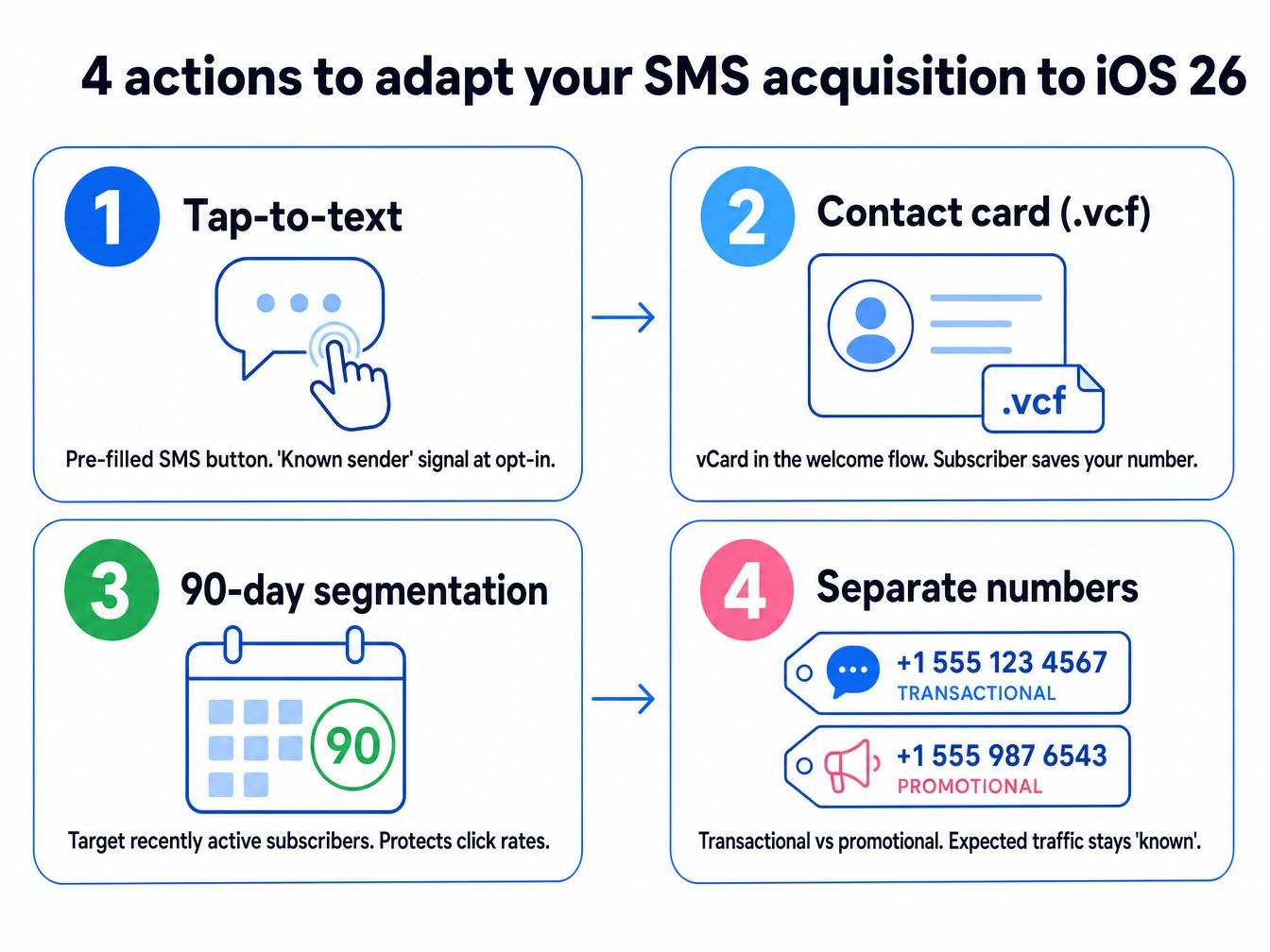
Four actions to adapt your SMS acquisition
- Switch to tap-to-text on all your mobile forms. A button that opens the Messages app directly with a pre-filled SMS to your short code generates the “known sender” signal at opt-in. It’s the most reliable way to ensure your new iOS 26 subscribers see your messages in their main inbox.
- Add a contact card to your welcome flow. A downloadable .vcf file in the first post-signup message invites subscribers to save your number. Save rates remain modest. Every contact saved is permanently out of the filter’s reach.
- Segment by 90-day engagement window. Behavioral SMS flows maintain click-through rates nearly twice those of email, according to the Klaviyo Benchmark 2026. Focusing sends on recently active subscribers preserves that performance better than growing the list.
- Separate your transactional numbers from your promotional numbers. Order confirmations and shipping alerts are more likely to be marked “known” by subscribers who actively expect them. Mixing that traffic with promotions on the same number dilutes that equity.
RCS: what iOS 26.5 changes in practice
iOS 26.5, rolled out in May 2026, added end-to-end encryption for RCS conversations between iPhone and Android. Apple and Google coordinated the rollout. For brands, RCS on iOS opens up capabilities unavailable in standard SMS: high-resolution images and interactive buttons in the conversation thread, plus brand visual identity displayed directly in Messages.
The limitations are real. Sending platforms still offer RCS in limited access or beta. Costs are higher than standard SMS. And user adoption on the iOS installed base is still ramping up.
In practice, RCS becomes relevant for brands sending high-value visual messages: cart abandonment with product photos or delivery confirmations with interactive maps. For purely text-based content, SMS remains simpler to deploy.
What the iOS 26 filter reveals about your current practices
Brands that send their campaigns unchanged will see a gradual degradation in metrics over the coming months, as filter adoption grows among their iOS subscribers. Slow. Readable in click-through rates by late 2026.
Brands that built their lists on explicit consent, with a real engagement history, have little to worry about. A subscriber who has replied to your messages and clicked your links creates a trust signal the filter cannot erase.
The blind spot is the inherited list. Subscribers collected 18 months ago via a quick checkbox on a checkout form, who have never replied to an SMS and clicked only once — these contacts are exposed to the filter. A re-engagement campaign with an integrated tap-to-text mechanic can recover part of that base before the filter reaches mass adoption.
Frequently asked questions about iOS 26 and SMS marketing
Does iOS 26 block marketing SMS?
No. The “Unknown Sender” filter redirects some messages to a separate tab but blocks nothing. Technical deliverability is unaffected. What can decrease is visibility in the main inbox for subscribers who have enabled the filter and never initiated a conversation with your number.
Is the iOS 26 filter on by default?
No, users must enable it manually in the Messages app settings. In the short term, the impact will remain limited. It will grow as the feature is discovered and adopted by the general public.
Should you switch to RCS to bypass the iOS 26 filter?
The filter applies equally to SMS, MMS, and RCS — switching to RCS does not bypass the mechanism. RCS enables richer messages, which can improve engagement once the message is read. To achieve “known” status, the lever remains tap-to-text, regardless of message type.
How do you know if your subscribers consider you “known”?
Sending platforms don’t expose this data directly. The most reliable proxy remains the reply rate: subscribers who have replied to you at least once are automatically in known status. Tracking this in your welcome flows is the clearest signal of list quality against the filter.
List quality has always determined SMS marketing results. iOS 26 just made it visible in the metrics.