376 billion emails circulated worldwide every day in 2025, according to the Email Statistics Report 2024-2028 from the Radicati Group. Each one travels through the same text dialogue, largely unchanged since 1982. SMTP (Simple Mail Transfer Protocol) is the protocol that carries an email from the sender’s software to the recipient’s server, using a set of short commands exchanged over a TCP connection. It handles neither reception nor storage of the message, two tasks left to other protocols.
What SMTP actually does boils down to three actions: open a connection to the right server, transmit the envelope stating who is sending and to whom, then deliver the message content. The rest of the chain rests on layers added afterward, long after the original protocol was published. Authentication and encryption form the first layer; spam filtering and inbox sorting, the second.
SMTP’s role in sending an email
An email goes through four steps before reaching an inbox, and SMTP covers only two of them. The MUA, the mail client the sender uses to write the message (Outlook, Gmail, Thunderbird), hands the message to an MSA, the server that accepts submission after verifying the sender’s identity. The MSA then passes it to an MTA, which relays the message server to server until it reaches the one hosting the recipient’s mailbox. That last server finally delivers the message to an MDA, which drops it into the right mailbox. SMTP drives the two middle links: submission by the MSA and transfer by the MTA. The same server software (Postfix, Exim, Microsoft Exchange) frequently plays both roles at once in practice, which blurs the distinction without erasing it from the command exchanges themselves.
RFC 5321 and RFC 5322: the envelope and the message
“The objective of the Simple Mail Transfer Protocol (SMTP) is to transfer mail reliably and efficiently.” RFC 5321, IETF, 2008.
Two separate standards govern an email, and confusing the two accounts for a good share of the misunderstandings around deliverability. RFC 5321 governs SMTP itself: it defines the commands, response codes, and rules for transporting the envelope. RFC 5322, published the same month in October 2008, covers something different: the format of the message being carried, with its From, To, Subject, Date, and Message-ID headers. This separation traces back to the protocol’s very first ancestor, RFC 821, published in August 1982 by Jonathan Postel at the University of Southern California’s Information Sciences Institute. It was replaced by RFC 2821 in 2001, itself replaced by the current RFC 5321 in 2008. Nothing since has required a full rewrite of the transport layer itself, only successive extensions grafted onto the same command skeleton.
The practical consequence comes down to a technical point that’s often overlooked: the address declared in the MAIL FROM command (the envelope, known as 5321.From) and the address shown in the message’s From field (the header, known as 5322.From) have no obligation to match. A mailing list management service, a campaign tracking tool, or a forwarding mechanism can legitimately change one without touching the other. This exact gap is what SPF checks on the envelope side. DKIM and DMARC focus instead on the header visible to the recipient, which is why the three mechanisms complement each other rather than overlap.
The SMTP dialogue, command by command
Open a plaintext session on a mail server’s submission port, and the exchange looks like a tightly choreographed round of pleasantries. The server answers first with a 220 code, which just means it accepts the connection. The client sends EHLO followed by its own domain name to announce it can speak the extended version of the protocol (ESMTP); the server replies with a list of available extensions, SIZE for the maximum message size or AUTH for authentication, for example. Next comes MAIL FROM, which declares the envelope sender, then RCPT TO, repeated once per recipient. The DATA command opens the window for the actual content, closed by a line consisting of a single period. The client ends the session with QUIT.
Each step returns a three-digit numeric code, and that code is the verdict on what happened. A code starting with 2 means success (250 for an accepted command). A code in the 3 range invites the client to continue, such as 354, which authorizes the start of the DATA block. A code in the 4 range signals a temporary failure, to be retried later. A code in the 5 range closes the door for good, with no way back for that message. Only four code families exist here, and they haven’t changed since the protocol’s first specification, even as the volume of emails exchanged has multiplied several hundredfold since 1982.
Submission then transfer: the two-step journey
Submission and transfer follow opposite logics. Submission goes through an MSA that requires authentication (username and password, or a token) before accepting any message: without it, anyone could spoof a sending address. Transfer between MTAs, by contrast, traditionally requires no authentication of this kind. SPF, DKIM, and DMARC fill this historical gap after the fact, decades after the original protocol was written.
Finding your email provider’s SMTP server
The SMTP server name to enter in a mail client depends on the email provider used, not on a universal standard. Gmail, Outlook, GoDaddy, or a shared hosting provider each publish their own server addresses, with variations depending on whether it’s a business address or a consumer account, and sometimes on the account’s billing country. This setting rarely sits in the same place from one interface to the next, which pushes many users to hunt it down every time they switch mail clients. How to find your email provider’s SMTP server lists these addresses provider by provider, along with the process for tracking them down when they aren’t documented.
Choosing the right SMTP port
SMTP historically relies on four ports: 25 for server-to-server transfer, 587 for authenticated submission, 465 for a connection encrypted from the outset, and 2525 as an alternative when an internet provider blocks the others. Port 25 in particular remains closed by default on most residential connections and many corporate networks, to limit spam sent from compromised machines without their owners’ knowledge. Picking the right port therefore depends as much on the software used as on the network the email is actually sent from. How to determine the right SMTP port details the use cases for each, depending on the sending context.
Going through an SMTP relay
Sending from a self-hosted server exposes you to a reputation problem: a single misconfigured address is enough to tank deliverability for the entire domain. Most companies therefore hand off sending to an external SMTP relay (Twilio SendGrid, Brevo, Amazon SES) that already has a warmed-up IP pool, skipping the warmup process entirely. The choice between a dedicated IP and a shared IP mainly depends on the volume sent each month. How an SMTP relay works details these tradeoffs.
SMTP authentication: AUTH, STARTTLS, SPF, DKIM, DMARC, BIMI
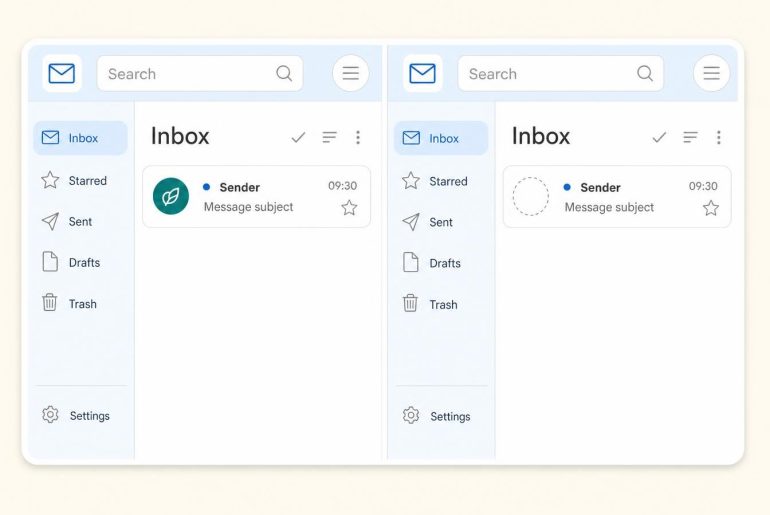
The original protocol provided neither encryption nor identity verification. The AUTH command, added later, requires credentials before accepting a submission. STARTTLS then lets a plaintext connection switch to an encrypted one mid-session, rather than opening an encrypted channel from the start. This design choice remains, even today, opportunistic rather than mandatory across a large share of servers worldwide. On top of this transport layer sits a trio that has become standard for deliverability. SPF verifies that the sending server is authorized to send for that domain. DKIM cryptographically signs the content, and DMARC decides the fate of a message that fails both checks, up to DMARC reject, which simply rejects the non-compliant email outright. The details of SPF, DKIM, DMARC, and BIMI explains how these layers fit together, with BIMI adding, at the end of the chain, the display of a verified logo in certain mail clients. Gmail’s Postmaster Tools remains, to date, the most widely used tool for observing the real effect of these settings on a domain’s reputation.
What SMTP doesn’t do
SMTP stops once the message is delivered to the recipient’s server. It never accesses an inbox and stores nothing itself. Reading, sorting, and syncing across devices fall to IMAP and POP3, two protocols that take over once SMTP has finished its job.
Response codes and sending failures
A 550 code returned on an RCPT TO command signals a hard bounce: the address doesn’t exist, or the server permanently refuses the message. A 421 or 450 code corresponds to a soft bounce, a temporary failure (full mailbox, unavailable server, rate limit reached, or an active temporary filter) that the sending MTA will automatically retry on its own deferral schedule. Recent versions of the protocol often pair this code with an Enhanced Status Code made of three digit groups, 5.1.1 for a nonexistent address, for example, which clarifies the cause without changing the nature of the verdict. One pitfall remains on domains configured as catchall: the server returns a 250 for any local address, including a mailbox that never existed, which makes this success code misleading for anyone trying to judge an address’s actual validity. The complete list of SMTP response codes and the details of hard bounce and soft bounce mechanisms help diagnose precisely why a campaign is degrading. An invalid address that racks up hard bounces damages the sending IP’s sender reputation before any authentication issue even comes into play. Checking the list before sending remains the only way to know where the actual damage lies.
Protocol limits and developments
SMTP was designed for ASCII text and Latin-character addresses, a choice that left non-Latin alphabets out of email addresses entirely. The SMTPUTF8 extension fixes this by allowing Unicode addresses, but its adoption remains marginal outside a few Asian markets. Two other developments aim to secure transport between servers, where STARTTLS remains optional: MTA-STS (Mail Transfer Agent Strict Transport Security) enforces encryption through a policy published via DNS and HTTPS, while DANE relies directly on DNSSEC to authenticate the recipient server’s certificate. Fewer than 1% of top 1 million domains publish an MTA-STS policy, a rate that has more than doubled between 2024 and 2026 without ever crossing that threshold (Uriports, 2026). The paradox comes from how much weight major providers carry in actual traffic: in the Netherlands, a Zivver study from September 2025 found that 19.1% of email volume already travels over an MTA-STS protected connection, driven almost entirely by Gmail and Hotmail. DANE remains a technical curiosity: its adoption depends on DNSSEC, a building block most hosting providers still haven’t deployed upstream, which blocks the mechanism before it even has a chance to be configured on the client side. The protocol advances at the margins, never through a wholesale replacement.