

6.7% of commercial emails end up in the spam folder globally, for an average inbox placement rate of 84% (Validity, 2025). Since February 2024, Google and Yahoo have rejected any unauthenticated email from senders exceeding 5,000 daily sends to personal accounts. The tolerated complaint threshold drops to 0.3% of volume sent over the same period. Fixing authentication, domain reputation, list hygiene, and send pacing before blaming the message copy is the most direct path to the inbox. Many email marketers face the same situation: campaigns land in spam for no visible reason, while the sending SaaS dashboard shows green metrics across the board. Sender reputation, the reputation a domain builds with mailbox providers over time, isn’t measured in the same place as the ESP’s statistics: Google Postmaster Tools and Microsoft SNDS see something different.
What changed in Gmail and Yahoo’s rules
Since February 2024, Google and Yahoo have required active SPF and DKIM authentication for any sender exceeding 5,000 daily messages to personal accounts, paired with a DMARC record configured at least at p=none. A one-click unsubscribe link compliant with RFC 8058 rounds out these requirements. In November 2025, enforcement tightened: non-compliant messages are no longer delayed for a fix, they’re rejected permanently. Microsoft follows a similar logic since May 2025 on Outlook and Hotmail: a domain that exceeds 5,000 daily messages without full authentication receives an SMTP 550 5.7.515 rejection, a hard error code rather than a simple spam classification (support.microsoft.com, 2025).
Authenticating the domain with SPF, DKIM, and DMARC
SPF lists the servers authorized to send for the domain; DKIM signs each message with a private key the recipient can verify. DMARC relies on these 2 checks to tell mailbox providers what to do when either one fails. The DNS setup for SPF and DKIM is the foundation; it’s DMARC that turns these 2 signals into an enforced policy, from simple reporting (p=none) all the way to outright rejection (p=reject). A DMARC set to p=reject without a prior observation phase also blocks legitimate messages that are technically misaligned, for example those sent by a marketing vendor never added to the SPF record. The recommended progression runs through p=none for 2 to 4 weeks of aggregate report collection, then p=quarantine, before reaching p=reject once the configuration is stable. BIMI displays the brand logo next to the message in certain mail clients. It only activates above a DMARC set to quarantine or reject, as an extra signal once authentication is stable.
Getting real consent before sending (opt-in)
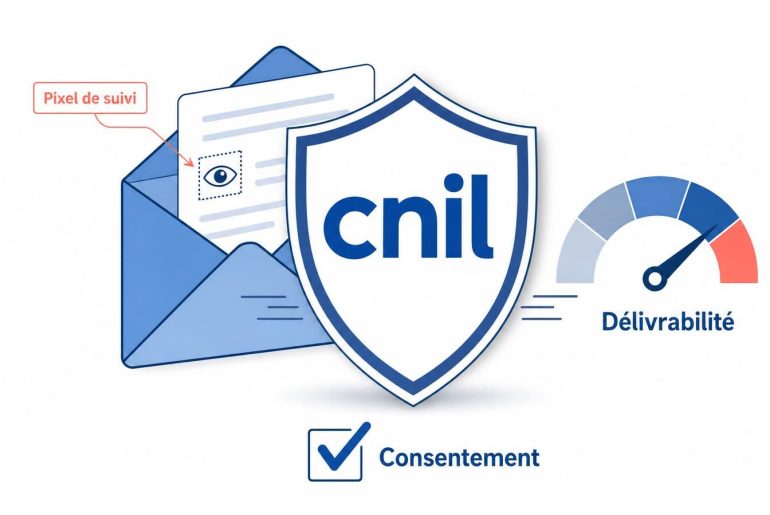
An email sent to an address that never opted in quickly turns into a complaint, which weighs directly against the domain. The legal framework requires keeping proof of consent: collection date and form origin. Double opt-in adds an email confirmation step that filters out mistyped addresses and fake form submissions, at the cost of a share of subscribers who never confirm. Feedback loops set up by some mailbox providers pass every complaint straight to the sender: a volume of complaints coming from addresses that never consented drives up the complaint rate faster than clumsy copy ever could. A purchased list or one pulled from an old CRM almost always carries a share of addresses that have fallen into a spam trap, which triggers a negative signal independent of the content sent.
Sending from a dedicated, warmed-up domain
A free domain or a personal address used for commercial volume has no history with mailbox providers. Sender reputation is built on a dedicated domain and IP, with a gradual IP warmup schedule: a few dozen sends per day in the 1st week, then a slow ramp-up over the following weeks that favors recipients who are already engaged. Blasting several thousand messages at once from a freshly created domain looks, to a filter, like a spammer testing new infrastructure. A domain sharing a mutualized IP pool also inherits the reputation of other senders on the same pool, an inheritance it doesn’t get to choose. Catchall addresses pose a similar problem: they accept any message regardless of the actual mailbox targeted, which keeps the hard bounce invisible until the recipient marks the message as spam themselves.
Staying under the complaint and hard bounce thresholds
A 0.3% complaint rate is enough to tip a sender into the monitored category at Google and Yahoo, with a recommended safety margin below 0.1%. The critical hard bounce threshold sits around 2% of volume sent. Beyond that, most mailbox providers consider the list poorly maintained, no matter how much care went into the message content.
Only 25% of senders surveyed in the 2025 Benchmark report keeping their complaint rate below the recommended 0.1% threshold (Validity, 2025).
The soft bounce, temporary (full mailbox, server momentarily unavailable), doesn’t carry the same weight as the hard bounce: it only hurts reputation if it repeats on the same address across several consecutive sends. Lumping the 2 bounce types into a single global metric often hides the real source of the problem, especially when the rate shown on the ESP dashboard stays low while the isolated hard bounce rate already exceeds 2%.
Avoiding content that triggers filters
Words considered spam triggers matter less now that filters rely on machine learning rather than a fixed list of banned terms. Some triggers remain penalizing in 2025 and 2026: cascading capital letters, excessive punctuation, promises of instant gains, repeated mentions of the word free. The guide to words to avoid is still a useful starting point, less as an absolute blocklist than as an indicator of the tone that triggers deeper inspection. An email made up of a single large image with no surrounding text is a classic filter-evasion signal, a technique historically used to hide promotional text behind an image.
Limiting risky attachments and links
An executable attachment or a compressed archive is enough to tip a message into quarantine, even when it’s sent from a perfectly authenticated domain. Mailbox providers’ antivirus filters scan each attachment independently of the rest of the message and apply their own verdict. A link shortened through a third-party service unknown to the filter produces the same effect, as does a link that redirects several times before reaching its final destination: the filter can’t check the final domain’s reputation before deciding. Replacing attachments with a direct link to a hosted document removes this signal. Replacing shortened links with the full URL of the main domain does the same, without changing anything about the message itself.
The ESP dashboard doesn’t see what Gmail sees
An ESP calculates its own statistics from what it observes on its own sending infrastructure. Google Postmaster Tools and Microsoft SNDS calculate theirs from what actually arrives in their mailboxes. The 2 measurements diverge as soon as part of the volume goes through a shared IP or a subdomain differs between the sending tool and the main domain. The gaps add up fast.
Checking in this order limits false leads before blaming the message content:
- The complaint rate and the block rate recorded in Google Postmaster Tools, on the verified domain rather than the IP alone.
- The hard bounce rate and soft bounce rate reported by the ESP, distinguishing the NDR (Non-Delivery Report) from its associated Enhanced Status Code.
- The aggregate DMARC reports received at the rua address, which flag legitimate but misaligned messages before they even reach the spam filter.
Adding one more tool to a stack that already has several for warmup or sending can seem costly relative to the expected benefit. None of these tools individually verify each address before sending: they measure overall reputation once the campaign has gone out. Checking the list before triggering the send addresses the cause of the hard bounce rather than its consequence. Keeping the hard bounce rate under 1.5% limits the impact on domain reputation and improves inbox placement. Running a sample of the list through a check before the next send is the fastest way to know whether hard bounces will weigh on domain reputation.
What filters already watch on the behavior side
Gmail and Yahoo rely on models that evaluate recipient behavior in real time: opens, deletion without reading, manual flagging, time spent on the message before taking action. These signals matter more than the fixed rules applied at send time. The next tightening of thresholds will probably not come as a product policy announcement: it will show up first in Google Postmaster Tools, before official documentation confirms it.