An abandoned-cart email earns an average of €6.06 ($6.77) per recipient for Klaviyo merchants; the top 10% reach €12.27 ($13.70) (Klaviyo 2026 report, more than 110,000 customers analyzed). That revenue exists only if the message lands in a real inbox. In e-commerce email marketing, four automated flows cover most of the ground: welcome, abandoned cart, post-purchase, and win-back of inactive customers. Each one starts from something the customer did. This guide gives their timings, then the foundation that decides whether those emails arrive: address quality, authentication, complaint rate, consent.
The four starter flows and their triggers
An automated flow starts on a customer action: sign-up, add to cart, order, long silence. Flows follow the stages of the customer life cycle. One-off campaigns (sales, launches) come on top of them. The article on the successful email campaign, written for B2B, gives a preparation method that a shop can adapt, and the article on automated emails details their effect on deliverability.
| Flow | Trigger | Starting timing | Goal |
|---|---|---|---|
| Welcome | Newsletter sign-up or account creation | Email 1 immediately, email 2 at day 2 | First order |
| Abandoned cart | Cart created by an identified visitor, no order | 1 hour, 24 hours, 72 hours | Recover the order |
| Post-purchase | Order shipped, then delivered | Review request 7 days after delivery, then a complementary product | Customer review and repeat purchase |
| Win-back | No purchase for 1.5 times the usual repurchase interval | 1 email, reminder 7 days later | Wake the customer up or remove them from the list |
These timings are starting points to test; no published standard sets them.
Abandoned cart: the sequence, hour by hour
Set up the abandoned cart first, because the buying intent is already there. One condition comes before anything else: you must know the address. On most shops it is captured at the first checkout step or through the customer account. The article on the data that triggers the send covers this point in detail. Here is the standard reminder sequence:
- 1 hour after abandonment: product photo, price, a single button to the restored cart. No discount at this stage.
- 24 hours: answer the likely objection. Delivery time, free returns or not, payment in installments, customer reviews of the item left in the cart.
- 72 hours: last message. A capped promo code fits here if your margin allows it; otherwise, mention the remaining stock, if it is real.
Take the customer out of the flow as soon as an order is placed. A reminder received after buying can end up as a spam report. Every report feeds the complaint rate that Gmail and Yahoo track.
Welcome and post-purchase: subject line and send time
The welcome email goes out within a minute of sign-up. It delivers on the promise made at sign-up: a discount code or a size guide. The subject line names that promise plainly (“Your welcome code is inside”), and the preview text adds to the subject line instead of repeating it. Test two subject lines, each on 50% of the list, with an A/B test, changing one variable at a time.
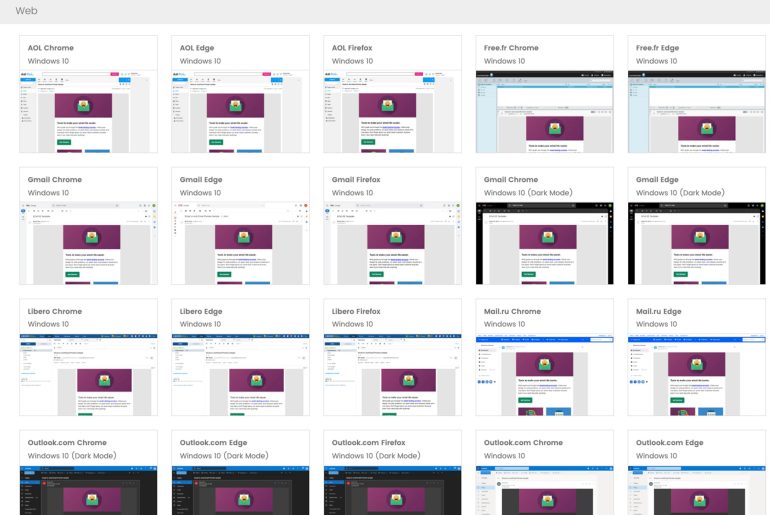
The call-to-action button is unique. The layout fits a single column that reads without zooming on a phone. Open the test email in the Gmail app and in Apple Mail before every new template.
After the purchase, the order confirmation is a transactional email: it sticks to the order details. The marketing email of the post-purchase flow goes out after delivery, never before. It offers product care tips, the review request at day 7, then a complementary item.
Win-back: waking dormant customers without hurting your reputation
Compute the trigger threshold from your own data: take the median delay between two orders, multiply it by 1.5, then target customers past that delay. A first email recalls what the customer bought and what has changed since. A second follows 7 days later with a dated incentive, for example free delivery until Sunday.
What comes next matters as much: a customer who clicks neither email leaves your regular sends. Yahoo states in its Sender Hub that sending to recipients who do not read your messages or who report them as spam degrades delivery metrics and reputation. A list purged of dormant contacts gets fewer sends and generates fewer complaints.
Segmenting with RFM analysis
RFM analysis (recency, frequency, monetary) scores each customer on the date of their last purchase, the number of their orders and their cumulative spend. Four segments stand out quickly: recent customers with a single order; regulars with large baskets; dormant customers; former big spenders who went quiet. Each gets its own content (data quality determines how accurate these segments are); regulars do not need the welcome code, and dormant customers do not need the promotion on a product they just bought.
The address base: hard bounces and typos
Every flow above relies on an address that exists. At checkout, a typo in the domain (gmial.com, hotmial.fr, orange.fr typed as orage.fr) creates a nonexistent address: the customer gets neither the confirmation nor the cart reminder. Your server receives a permanent rejection such as “550 5.1.1 User unknown”. That is a hard bounce. The difference between a permanent and a temporary rejection, with the SMTP codes and the rule for removing an address, is detailed in the article on hard bounce and soft bounce.
Faulty addresses come from three places:
- manual entry at checkout, which a domain suggestion and an address check at the moment of entry can fix;
- disposable addresses, sometimes created to grab the welcome code and then dropped;
- catch-all domains, which accept any message on reception and do not confirm that a mailbox exists.
Google asks senders to monitor server responses, spam rate and sending-domain reputation as their volume grows. Repeated rejections weigh on the reputation of the sending domain (the sender reputation). That weight applies before the content is read, so the most carefully built abandoned-cart email may land in spam along with everything else.
People often say it is enough to filter after sending. After sending, though, the rejection is already recorded by the provider; checking beforehand is the only step that prevents it. List hygiene happens before the campaign, not after the bounce. To size the problem on your own list, run a sample of a few thousand addresses through a verification check before your next campaign and compare the result with the hard bounce rate of your last send. A confirmation field or a domain suggestion at entry limits typos from the moment of collection; the collection methods article compares signup forms.
Authentication and complaint thresholds required by Gmail and Yahoo
Since 1 February 2024, Gmail requires every sender to keep a spam rate under 0.3% in Postmaster Tools. Senders of more than 5,000 messages a day to personal Gmail accounts have additional obligations, including a DMARC record on top of SPF and DKIM authentication (Google’s sender guidelines). The stated target is stricter: stay under 0.10% complaints and avoid reaching 0.30%. According to Google’s FAQ, since June 2024 a bulk sender above 0.3% loses all mitigation eligibility when a delivery problem occurs; it gets it back after seven consecutive days under that threshold. Yahoo has applied the same 0.3% ceiling since February 2024.
One-click unsubscribe is required for commercial and promotional messages, through the List-Unsubscribe and List-Unsubscribe-Post headers (RFC 8058) that your sending tool usually adds; Google’s FAQ set 1 June 2024 as the deadline for senders that already had an unsubscribe link. Yahoo recommends separating mail streams by function.
For a shop, this gives an architecture rule: one subdomain for marketing emails (news.myshop.com) and another for transactional emails (orders.myshop.com), each with its own SPF record and DKIM key, and DMARC covering both. The setup happens in the DNS zone of your registrar, by adding the TXT records supplied by your sending tool. To check the result, open a test email in Gmail, click the three dots, then “Show original”, and look for “PASS” next to SPF, DKIM and DMARC. The guide on SPF, DKIM, DMARC and BIMI details each record. Start with a DMARC policy in monitoring mode only (p=none) before tightening it; the page on DMARC covers the syntax.
A new domain or a new sending tool does not start at full volume. Raise the pace in steps and check the spam rate in Google Postmaster Tools at each step, as Google asks (IP warm-up).
Consent and the CNIL: what a cart reminder covers
In France, for individuals, email prospecting rests in principle on prior, informed consent (CNIL sheet on electronic communications, in French, updated 10 June 2026). An exception exists for existing customers: a person who has already bought can receive offers for similar products or services, provided they were told about this use and can object easily at the time of collection and in every message. The framework cited here is French law; other countries have their own rules.
The sheet does not mention abandoned-cart reminders. Applied to that case, the rule gives this: for a visitor who has never ordered, the “existing customer” exception (article L.34-5 of the French CPCE) does not apply. Consent collected at sign-up remains the safe route. The article on double opt-in shows how to prove it; the one on GDPR in email marketing details proof and unsubscribing.
Measuring revenue per recipient
If your management asks why the open rate is falling, the answer is rarely the content alone. Apple Mail Privacy Protection, available since iOS 15 in September 2021 for users who turn it on, preloads images and inflates opens; the open rate shows a trend without proving that a message was read. Two indicators hold up better: revenue per recipient (revenue attributed to an email divided by the number of recipients, the measure Klaviyo uses) and the spam rate in Postmaster Tools.
Keep flows and campaigns separate in your Klaviyo, Shopify or Google Analytics 4 reports. A flow goes out every day on behaviors, a campaign goes out once to a whole list: adding them together hides the flow that works and the one that is running out of steam.
Four mistakes that cost deliverability
- Letting the cart sequence keep running after the order in Klaviyo or Shopify Email.
- Giving out the welcome code without checking the address, which hands it to disposable addresses.
- Sending marketing and transactional mail from the same domain, with the same DMARC.
- Launching the January or summer sales campaign to the whole base, dormant contacts included.
A reminder that nobody receives reminds nobody of anything.