
An IP that appears on no blacklist can still land in spam at Gmail or Outlook, because every mailbox provider keeps its own file on the address that sends. If your campaigns go to spam while your email tool says “all good”, that file is what you need to read.
IP reputation management is about the trust score that mailbox providers assign to a sending address based on its history. To manage it, authenticate the IP (SPF, DKIM, DMARC and reverse DNS) and keep complaints under 0.10% by cleaning your list. Then raise volumes in steps.
IP reputation vs. domain reputation
Spam filters score 2 entities separately: the IP address that transmits the message and the sender’s domain. IP reputation reflects the behavior of the network address: volume sent, complaints, bounces, and presence on DNSBLs (blacklists that can be queried in real time through DNS). It starts from zero when you change IP, which means you have to warm up the new address gradually. Domain reputation follows the sender from one IP to the next.
The first diagnostic test is to compare providers. If your emails reach Gmail but stay blocked at Outlook, the IP is the prime suspect, because Microsoft SNDS sees signals that Google does not. If the block hits every provider, look at the domain and authentication first.
On a shared IP, the sends of your provider’s other customers feed the same file as yours. On a dedicated IP, you alone are responsible for the score.

What damages an IP’s reputation
Engagement weighs first. At Yahoo, an active audience that opens and clicks remains the best guarantee of delivery. A cold list produces the opposite: few opens and many complaints.
Spam complaints come next. Each report feeds the complaint rate, which Gmail caps at 0.30% and Yahoo at 0.3%. A high hard bounce rate (nonexistent addresses) lowers the score too. An unverified list looks like a purchased list: hard bounces pile up from the first send. Spam traps (addresses created to catch careless senders) can hide among dormant contacts: remove those before every send to avoid spam traps.
Blacklists and a compromised IP complete the picture. A hacked server that relays phishing can end up on Spamhaus lists and in corporate filters.
Provider thresholds: what Gmail, Yahoo and Outlook require
Gmail wants complaints under 0.10% and Yahoo under 0.3%, with SPF, DKIM and DMARC in place. Gmail has applied its rules to bulk senders since February 1, 2024, and Outlook.com since May 5, 2025.
| Provider | Who is covered | Authentication | Complaints | Unsubscribe |
|---|---|---|---|---|
| Gmail | More than 5,000 messages per day to personal Gmail accounts (permanent status) | SPF, DKIM and DMARC (p=none is enough) | Under 0.10%, never 0.30% | One click via List-Unsubscribe for marketing mail |
| Yahoo | Bulk senders to Yahoo addresses | SPF, DKIM and DMARC (p=none minimum) | Under 0.3% | One click, request processed within 2 days |
| Outlook.com | More than 5,000 emails per day per domain | Aligned SPF, DKIM and DMARC | No published threshold | Visible, working link (recommended) |
At Gmail, 0.10% is the target. At 0.30%, the sender becomes ineligible for Google’s mitigation process (June 2024 rule) and stays ineligible until it has spent 7 consecutive days under 0.30%. The same rules require an IP with valid forward and reverse DNS records. Without a PTR record, Gmail returns error 5.7.25; a failing SPF gives 5.7.27 and a failing DKIM gives 5.7.30.
One-click unsubscribe rests on RFC 8058: the List-Unsubscribe header points to an HTTPS URL and the List-Unsubscribe-Post header carries the value List-Unsubscribe=One-Click. A mailto link does not meet this requirement.
At Outlook.com, the SPF, DKIM and DMARC rules target domains that send more than 5,000 emails per day. Non-compliant messages are first routed to the Junk folder.
Sender Score: a 0 to 100 rating over 30 days
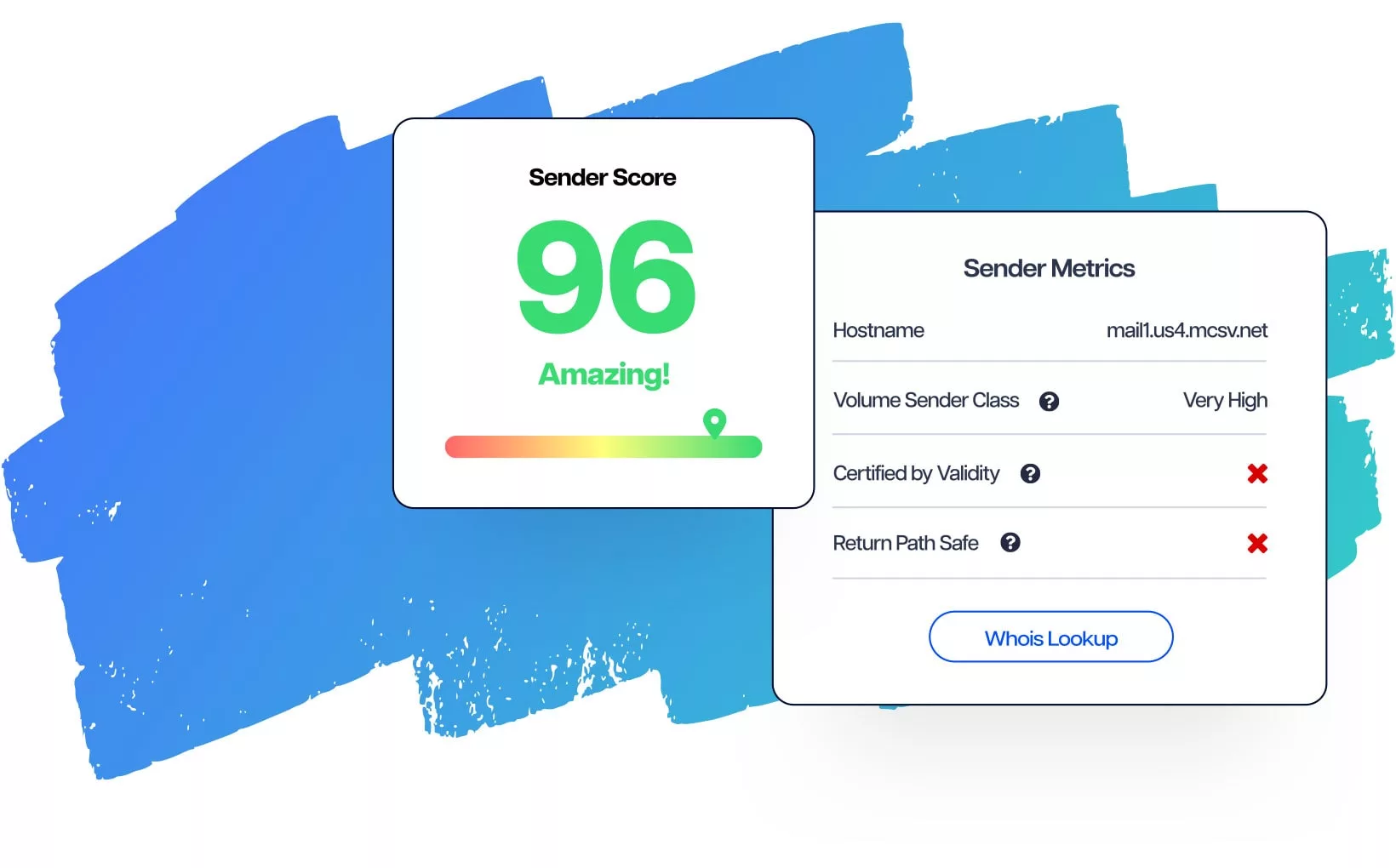
Sender Score is published by Validity (formerly Return Path). It rates an IP from 0 to 100 and is generally calculated over a rolling 30-day average: from 80 to 100 is the good zone, and from 70 to 80 is fair (“Fair” at Validity). A change in practice therefore takes several weeks to show.
The score moves slowly: check it at a fixed interval to see the trend, over 30 rolling days.
Diagnosis: 4 checks, in order
Run a blacklist scan with MXToolbox, then read the exact listing reason from the operator of the list concerned. Check Talos for the view that corporate filters have. Open Google Postmaster Tools for Gmail and SNDS for Outlook.
To enable Microsoft SNDS, sign up and validate your IP ranges: it then shows complaints and sends to spam traps. To set up Google Postmaster, verify ownership of the domain.
| Tool | What it measures | Reading the result | When to use it |
|---|---|---|---|
| MXToolbox | IP presence on DNSBLs | 0 listings = clean | First scan |
| Sender Score | IP reputation over 30 days | 80 and above good, 70 to 80 fair | Trend tracking |
| Cisco Talos | Reputation of the sending IP | Good, Neutral or Poor (from −10 to +10) | Sends to businesses |
| Microsoft SNDS | Complaints and spam traps at Outlook.com | Data per IP range | Block limited to Outlook |
| Google Postmaster Tools | Spam rate of sends to Gmail | Spam rate under 0.10% | Block limited to Gmail |
| AbuseIPDB | Abuse reports on the IP | Abuse confidence score from 0 to 100 | Server or VPS IP |
IP reputation management: the 6-step fix plan
- Locate the block: Postmaster Tools answers for Gmail, SNDS for Outlook. The rejection code in the bounce gives the cause (codes in the Thresholds section).
- Fix the infrastructure. The IP must have a reverse DNS (PTR) record that resolves to a name whose forward record points to the same IP. Check SPF and DKIM with alignment to the From domain and publish DMARC at p=none at minimum (SPF, DKIM, DMARC and BIMI: the full setup).
- Suspend risky segments. Contacts with no open or click in several months and unverified addresses feed complaints and traps. To know whether the list is clean before the next send, have it verified, starting with a sample. A double opt-in then limits input errors.
- Cut complaints at the source. Add one-click List-Unsubscribe and process unsubscribes within 2 days (the deadline Yahoo asks for). Sign up for feedback loops (channels that send each complaint back to the sender): Yahoo offers its Complaint Feedback Loop.
- Request removal from each list after the fix. A request with the cause still unaddressed is likely to be refused. Every list has its own procedure: get delisted from a blocklist, list by list.
- Resume sending in steps to your most engaged contacts. Watch the daily spam rate in Postmaster Tools and raise the volume only while it stays under 0.10%.
If the IP is clean everywhere and emails still go to spam, the next lead is domain reputation or incomplete authentication.
Warming up an IP: how long it takes
A warm-up raises volume in steps so that Gmail, Yahoo and Outlook learn the new address. At Amazon SES, reputation builds over 2 to 6 weeks depending on the mailbox provider. The automatic warm-up of a standard dedicated IP lasts 45 days.
Beyond 5,000 messages per day to Gmail, bulk sender status applies and never goes away. The choice between a dedicated and a shared IP comes before that stage: a dedicated one needs a full warm-up, while a shared one borrows the reputation of the pool.
Common mistakes that prolong a block
- Calculating the complaint rate on the volume sent: Yahoo reports it against mail delivered to the inbox, so the real rate is higher.
- Using a mailto link as the unsubscribe: RFC 8058 requires an HTTPS URL.
- Changing IP to start from zero forces a new warm-up, while Gmail’s bulk sender status stays attached to the main domain.
- Ignoring common deliverability errors (content or authentication) as long as the IP looks clean.
- Relying on the MXToolbox scan alone: it covers DNSBLs only, so the data Gmail or Outlook holds on the IP stays invisible.
Frequently asked questions about IP reputation
Should I verify the list before warming up an IP?
Yes. Start with the most active contacts and watch the bounces: an IP with no history handles nonexistent addresses badly.
Is a Sender Score of 75 a problem?
A score of 75 falls in Validity’s fair zone (70 to 80), and the good zone starts at 80. Check the 30-day trend before drawing a conclusion.
Should I monitor the reputation of the IP or of the domain?
Both. IP reputation starts from zero with a new address, while domain reputation follows the sender from one IP to the next.