
An SMTP error code starts with 4 when the failure is temporary and with 5 when it is permanent. The second digit gives the category. The three-part enhanced code (5.1.1, for example) names the exact cause. Find your code in the tables below: each family lists the usual cause and what to do with the address.
Reading a bounce message (NDR)
A bounce message, called an NDR (non-delivery report), contains two codes (three digits, then the enhanced code) followed by free text. Example:
550 5.1.1 The email account that you tried to reach does not exist
The first digit separates temporary from permanent. According to RFC 5321, a 4yz reply means the action can be requested again: the sending server retries. A 5yz reply means the client must not repeat the same request in the same sequence. The second digit classifies the reply: 0 for syntax, 1 for information, 2 for connections, 5 for the mail system. The third refines the meaning.
The enhanced code comes from RFC 3463 and reads class.subject.detail. In the example, 5 is a permanent failure, 1 is an address issue and 1 is a mailbox that does not exist. The text varies from one provider to another. For the full list, see the SMTP reply codes.
NDRs for messages you never sent are probably backscatter: a third party has spoofed your sender address.
4xx codes: temporary errors
The sending server queues the message and retries. RFC 5321 asks for an interval of at least 30 minutes between attempts and a give-up time of at least 4 to 5 days. After that, the message bounces. On a 4xx, the address stays on the list.
| Code | Meaning (RFC 5321) | Usual cause | Action on the address |
|---|---|---|---|
| 421 | Service not available, closing channel | Overloaded server or rate limiting. At Gmail, a 421 4.7.0 can point to a sending IP with no PTR record. | Keep. Fix the configuration if the text mentions the PTR. |
| 450 | Mailbox unavailable (busy or temporarily blocked for policy reasons) | Receiving rate too high at the recipient (Gmail 450 4.2.1) or greylisting | Keep. Pause for a few days if the 450 keeps coming back. |
| 451 | Action aborted, local error in processing | Incident on the recipient server | Keep and let the server retry. |
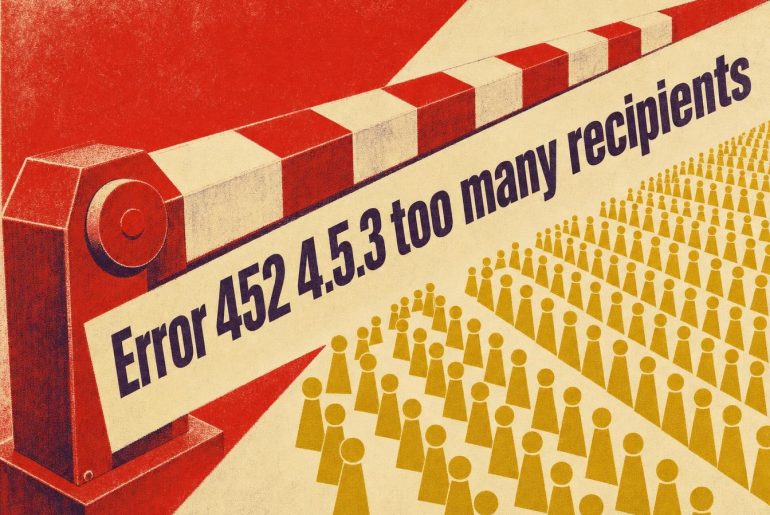
| 452 | Insufficient system storage | Full mailbox (Gmail 452 4.2.2) or too many recipients in one transaction (452 4.5.3) | Full mailbox: pause for 7 to 14 days. Too many recipients: split the send. |
A 4xx that repeats across several campaigns is no longer a one-off incident. Move on to sender reputation.
5xx codes: permanent errors
The server does not retry. RFC 5321 notes that even a “permanent” error can be fixed: after a corrected typo, for example. Resending the same message to the same address, with no change, does not solve a 5xx.

| Code | Meaning (RFC 5321) | Usual cause | Action on the address |
|---|---|---|---|
| 501 | Syntax error in parameters or arguments | Malformed command or address: details on the 501 error | Fix the address or the sending configuration. |
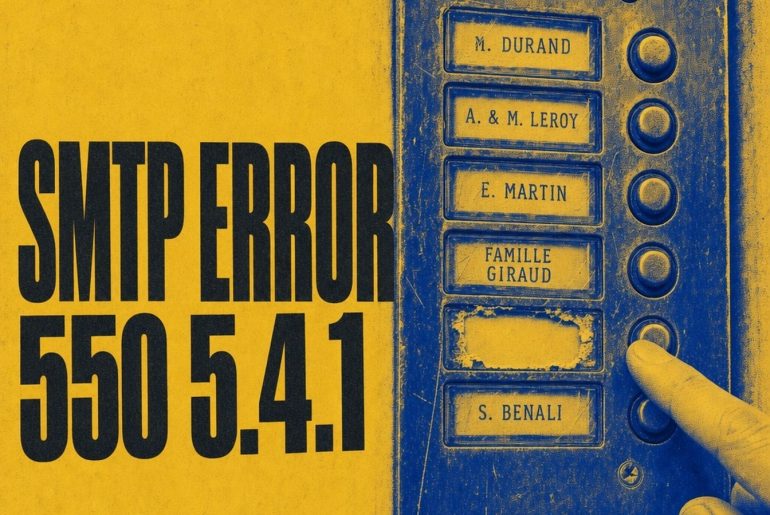
| 550 | Mailbox unavailable (not found, access denied or command rejected for policy reasons) | 5.1.1: address does not exist. 5.7.x: filtering rule, authentication or missing PTR | 5.1.1: delete. 5.7.x: fix the sending, keep the address. See also 550 5.4.1. |
| 551 | User not local, a forwarding address is offered | The server says where to send | Use the new address if it is provided, otherwise delete. |
| 552 | Action aborted, exceeded storage allocation | Full mailbox or message too large: see the next section | Depends on the enhanced code. |
| 553 | Mailbox name not allowed (incorrect syntax) | Typo in the address. Gmail: 553 5.1.2 domain not found, 553 5.1.3 invalid address | Correct it if the typo is obvious (gmial.com), otherwise delete. |
| 554 | Transaction failed | Generic rejection: the text and the enhanced code give the cause (554 error), for example a spam suspicion or a blacklist | Read the enhanced code before deciding. |
Errors 500 to 504 concern SMTP commands. They most often come from the sending software or its configuration, for example the SMTP port and the authentication method. A 501 can also point to a malformed address.
Enhanced codes worth knowing
The enhanced code settles it when the three-digit code stays vague. A 550 can hide a nonexistent address (5.1.1) or an authentication rejection (5.7.26): the two call for opposite actions.
| Enhanced code | Definition | Action |
|---|---|---|
| 5.1.1 | Bad destination mailbox address: the part before the @ does not exist (RFC 3463) | Delete the address. |
| 5.1.2 | Destination domain does not exist or cannot receive mail (RFC 3463) | Fix the domain or delete. |
| 5.2.2 | Mailbox full, the user can free up space (RFC 3463) | Pause for 7 to 14 days, then remove if the bounce persists. |
| 5.3.4 | Message larger than the per-message limit (RFC 3463) | Make the message lighter before any new attempt. |
| 4.7.0 / 5.7.0 | Other or undefined security status (RFC 3463) | Read the rejection text. |
| 5.7.1 | Delivery not authorized, message refused: filtering by host or by recipient (RFC 3463) | Read the text. Keep the address if the rejection targets your sending. |
| 5.7.25 | At Gmail: sending IP has no valid PTR record | Fix the PTR. |
| 5.7.26 | At Gmail: sender not authenticated or rejected by the domain’s DMARC policy | Review SPF, DKIM and DMARC. |
Codes 5.7.25 and 5.7.26 are documented by Google in the list of Gmail SMTP errors. RFC 3463 does not contain them. The same code can therefore change meaning from one provider to another.
552: full mailbox or message too large
RFC 5321 defines 552 as “exceeded storage allocation”. Yet this code covers several situations. At Gmail, 552 5.2.2 means an inactive, full mailbox. 552 5.3.4 flags a message that exceeds the maximum size. A 552 5.7.0 indicates content blocked for security reasons (Google, list of SMTP errors).
For 552 5.2.2, RFC 3463 describes a full mailbox as a persistent transient failure, because the recipient can free up space, so waiting helps. The suspension rule is detailed in the article on error 552 mailbox full. For 552 5.3.4, reduce the size of the message.
A 552 issued for “too many recipients” comes from an RFC 821 mistake: the right code is 452, and RFC 5321 asks the client to treat that 552 as temporary.
Hard bounce and soft bounce: what to do with each address
How to treat the address depends on the enhanced code, not only on the family. A 5xx usually produces a hard bounce and a 4xx a soft bounce (temporary, final only if the server eventually gives up). The acceptable bounce rate is calculated from these two families.
- 5.1.1: the mailbox does not exist. Delete the address. 5.1.2 or 5.1.3: domain not found or malformed address. Correct the typo if it is obvious, otherwise delete.
- 5.2.2: full mailbox. Pause for 7 to 14 days. A full mailbox often means an abandoned account: a re-engagement campaign can settle it.
- 5.7.x: the rejection concerns the sending (authentication, reputation, content or recipient policy) and the mailbox exists. Read the text, fix the cause and keep the address.
- Isolated 4.x.x: no action, the server retries.
These durations are list hygiene practice: no RFC sets them.
Deleting healthy addresses after a 5.7.1 empties your list for nothing. The detail by scenario is in the article on managing bounces. If refusals multiply for no apparent reason, read why SMTP rejections are rising.
Not every undeliverable email carries a usable code.
Frequently asked questions
Should you resend an email after a 5xx?
No, not as it stands. First fix what the code points to (address or message size). A full mailbox (5.2.2) is the exception: the suspension gives the recipient time to free up space.
Avoiding 550 5.1.1 before sending
A nonexistent address can be prevented before sending. Email validation detects nonexistent mailboxes and mistyped domains. Double opt-in filters typos at sign-up. Run a sample of your next list through verification, then compare the hard bounce rate with that of your last campaign.